Ask the AI advisor
Ask questions about your own money in plain language — and when the advisor wants to change something, it proposes the change and waits for you to confirm.
Updated Jul 30, 2026
On this page
The advisor answers from your real accounts, transactions, budgets and goals — not from generic financial tips. And it can never quietly change your data: anything that would write something is proposed as a card you have to approve.
Start a conversation
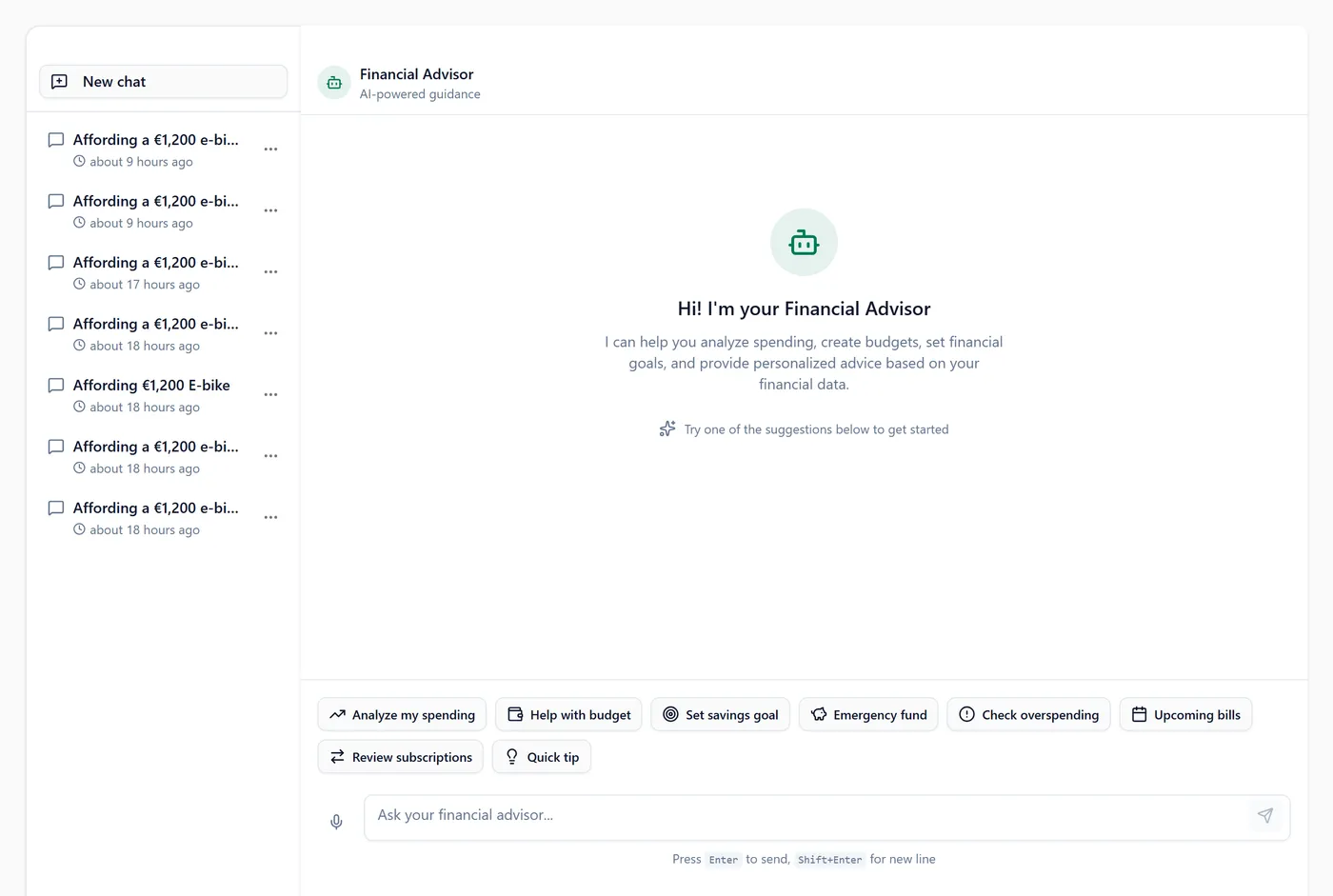
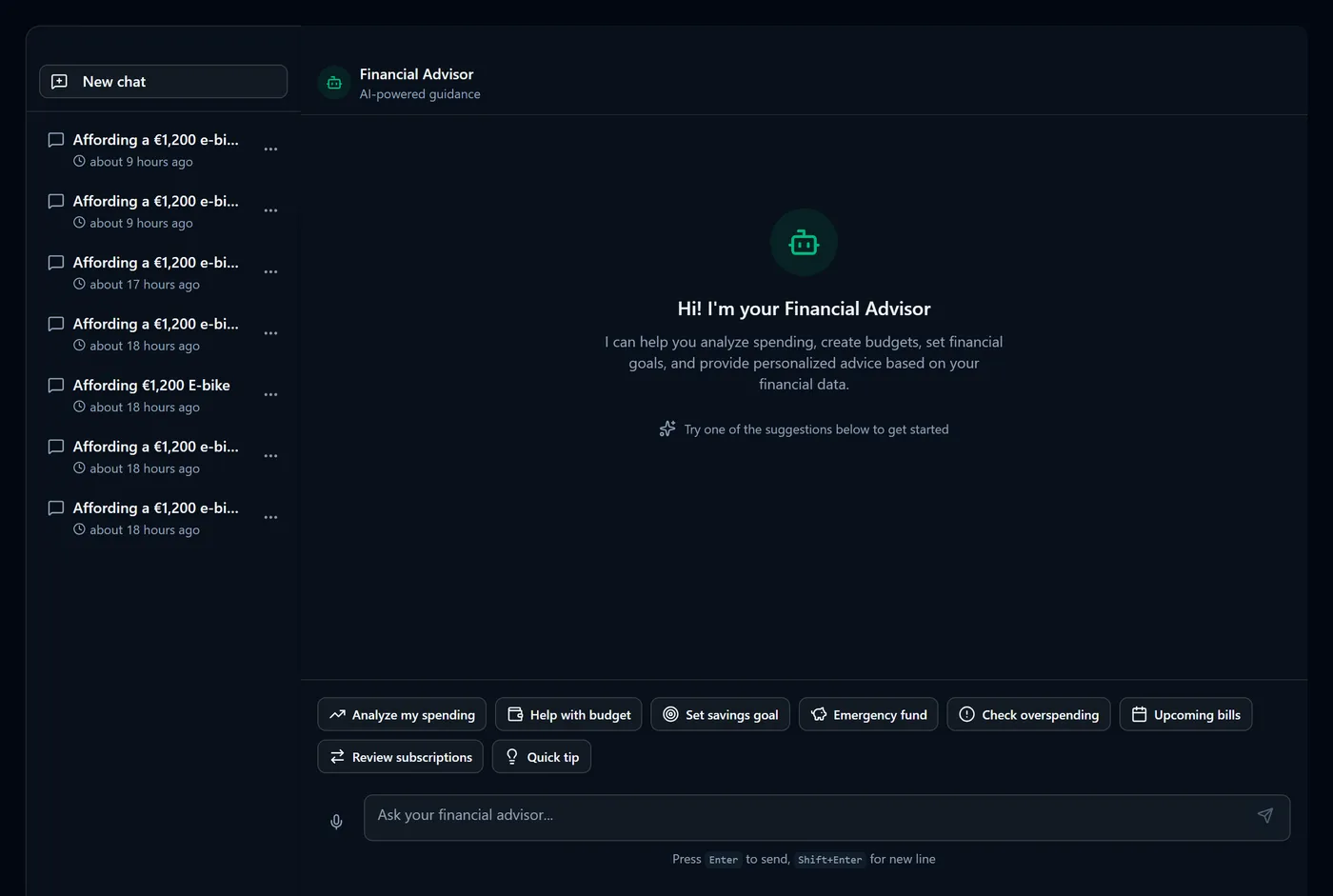
- Open Advice → AI Advisor.
- Type your question in the box marked Ask your financial advisor…
- Press Enter.
You'll see the answer stream in as it's written, with figures taken from your own data.
Good questions are specific: "How much did I spend at the supermarket last year?", "Am I overspending on eating out?", "Can I afford a €20,000 car?", "What should I do about my subscriptions?"
Tip: if the advisor doesn't know something, it looks before it says so. Questions about a merchant, a category or a period trigger a lookup against your transactions rather than a shrug.
What it can look up
The advisor starts each conversation with a summary of the last few months, and can then run three lookups against your data:
- Your transactions — filtered by a free-text merchant or description search and any date range, optionally grouped by category, merchant or account.
- A finance summary — net worth, account balances, this month's cash flow and budget status.
- A spending analysis — a category breakdown for the past week, month or three months, compared with the period before it.
For vague periods like "last year" or "recently" it uses the trailing twelve months, which is usually what people mean. Ask for a named year or month if you want exact calendar boundaries.
Note: on a very long history a lookup scans the most recent 5,000 transactions in the range, and says so in its answer when that limit is reached. If a search finds nothing in the period you asked about but does match elsewhere, it widens to all dates and tells you the range it found instead of reporting nothing.
Actions you confirm
When the advisor thinks something should change, it doesn't do it. It proposes a card underneath its message, with a title and a one-line description, and two buttons:
- Read the description on the card.
- Select Confirm to carry it out, or Decline to dismiss it.
You'll see a confirmed card turn green with a Done badge and a line describing exactly what was written — "Added expense of €45.00 for Groceries". A declined card dims and reads Declined.
The five things it can propose are Add Transaction, Create Goal, Update Budget, Log Habit and Create Reminder.
Warning: confirming is the moment your data changes — a confirmed Add Transaction creates a real transaction and moves an account balance. Read the description before you confirm; declining costs nothing and you can always ask again.
When you confirm, the action is rebuilt on the server from the proposal that was saved with the message, so what runs is exactly what you were shown. Confirming twice is safe — the second attempt returns the first result rather than repeating the change. If an action fails, the card says so and returns to a state you can retry.
Note: Create Reminder currently creates a high-priority task on your tasks list, which is where you'll find it afterwards.
Quick views
Above the input there's a row of chips — Analyze my spending, Help with budget, Set savings goal, Emergency fund, Check overspending, Review subscriptions, Upcoming bills, Quick tip.
These aren't questions put to the advisor. Each one draws a small chart or stat card straight from your data, so the numbers are exact rather than phrased. They're a shortcut for looking, not for asking, and they aren't kept in the conversation afterwards.
Your conversations
Past conversations are listed beside the chat, newest first, each with a title generated from your opening question.
- Select New chat to start a fresh conversation.
- Select any conversation to reopen it, including the action cards it contained.
- Use a conversation's … menu to Rename or Delete it.
- On a narrow screen, the history button opens a Conversations drawer.
Opening the advisor always starts on a blank chat rather than reopening your last one — pick it from the list to carry on.
Warning: deleting a conversation permanently removes it and its messages, and can't be undone. Anything the advisor already did for you stays done — deleting the chat doesn't reverse a confirmed action.
What the advisor can see
In a household, the advisor sees exactly what you can see in the app — no more, no less:
- Accounts your partner shares are visible in full, transactions included.
- Accounts shared as amounts only appear as Private transaction with the amount intact, masked the same way they're masked on screen, and grouped under Private in a spending breakdown.
- Accounts shared as totals only contribute to totals; their individual transactions never appear.
- Private accounts don't appear at all.
Asking the advisor about the household cannot reveal something the household view wouldn't. See How account sharing levels work.
Your own text — a merchant name, a note — is treated strictly as data, never as instructions to the advisor, so nothing written inside a transaction description can change how it behaves.
Availability
The AI advisor is a Premium feature. Without Premium your advisor messages are capped, and once you reach the cap you'll see a limit message instead of an answer — everything else in Fyncora keeps working exactly as before.
Note: what's in each plan, and what it costs, lives on the pricing page — see also Premium, the trial, and billing.
FAQ
Does it make up numbers? It's instructed not to, and it runs a real lookup before claiming it lacks data. Figures come from the same engine as your Finance reports, so an advisor answer and a report shouldn't disagree.
Can it move money or pay a bill? No. It can propose recording a transaction, and only you can confirm it. Fyncora has no connection to your bank and cannot move real money anywhere.
Does it remember earlier messages? Yes, within a conversation — it's given the recent history of the conversation you're in, which is why follow-up questions work.
Can I ask about goals and habits too? Yes. It has your goals and budgets in context. Habit detail is deliberately kept personal in a household — habits are one person's behaviour.
Was this helpful?